
For a while, Brave Browser was my go-to. It promised privacy and a fast browsing experience, and for a time, it delivered. However, after hearing more and more about Vivaldi, my curiosity got the better of me. And let me tell you, making the switch has been a revelation! I’m incredibly impressed with Vivaldi, and I don’t see myself going back.
Why Vivaldi Won Me Over
Vivaldi isn’t just a browser; it’s a customizable powerhouse designed for power users and privacy-conscious individuals alike. Here are some of the features that have truly stood out to me:
Built-in Ad and Tracking Blocker
Right out of the box, Vivaldi comes with robust ad and tracking blocking capabilities. No need for extra extensions, which simplifies setup and keeps things running smoothly.
Chrome Extension Compatibility
Speaking of extensions, Vivaldi seamlessly integrates with the Google Chrome Web Store. This means all your favorite extensions are just a click away, ensuring you don’t miss out on any crucial tools.
Blazing Fast Performance
From the moment I started using it, Vivaldi has felt incredibly snappy and responsive. It handles multiple tabs and complex websites with ease, providing a consistently smooth browsing experience.
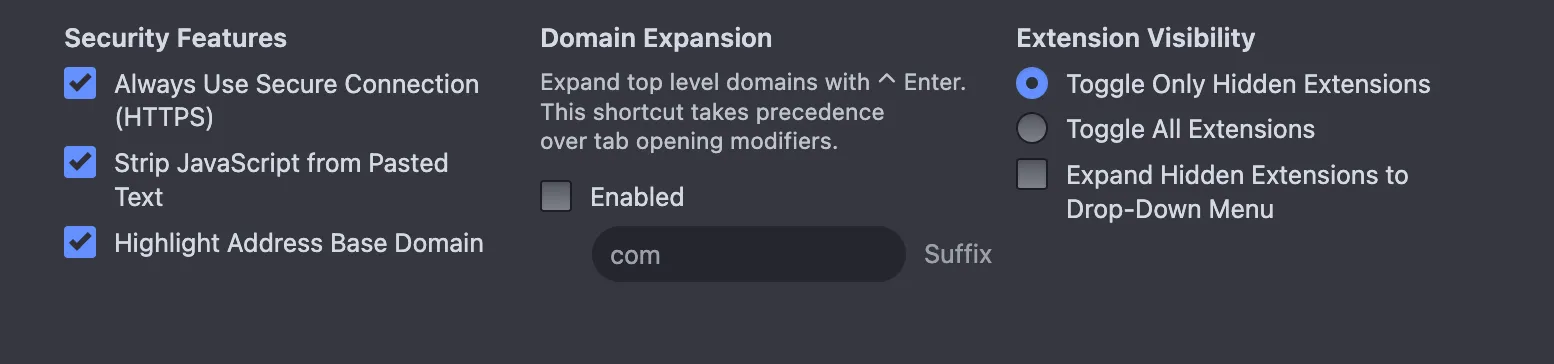
Enhanced Security with “Always Use Secure Connection”
In an age where online security is paramount, Vivaldi’s “Always Use Secure Connection” option is a fantastic feature. It automatically attempts to upgrade navigations to HTTPS, protecting your data from potential eavesdroppers.
Seamless and Secure Syncing
One of my biggest pain points with other browsers has been syncing. Vivaldi’s syncing is top-notch. I love that they don’t hold the decryption keys, adding an extra layer of privacy, yet it works more reliably than any other browser sync I’ve used, including Brave’s.
Themes Galore
While I haven’t delved into all of them yet, Vivaldi offers a plethora of themes to personalize your browsing experience. It’s a small touch, but it makes a big difference in making the browser truly feel like your own.
The Power of Web Panels
The left-hand panel in Vivaldi is a game-changer, especially the “Web Panel” feature. I currently use it for my social networks, like Threads. This allows me to keep an eye on my feeds while simultaneously browsing other websites in the main window. It’s multitasking made easy!
Unrivaled Customization: Tabs and Address Bar Where You Want Them
Vivaldi gives you incredible control over your browser’s layout. You can move tabs and the address bar to the bottom or sides of the window. On my desktop, I prefer them at the top, but on mobile, having them at the bottom is incredibly convenient for one-handed use.
Privacy-Focused Search
I appreciate the option to easily change my default search engine to DuckDuckGo, reinforcing Vivaldi’s commitment to user privacy.
Built-in VPN Access with Proton
For those who prioritize online privacy and security, Vivaldi’s integrated VPN powered by Proton is a fantastic addition. As a Proton user already, this was a huge bonus for me!
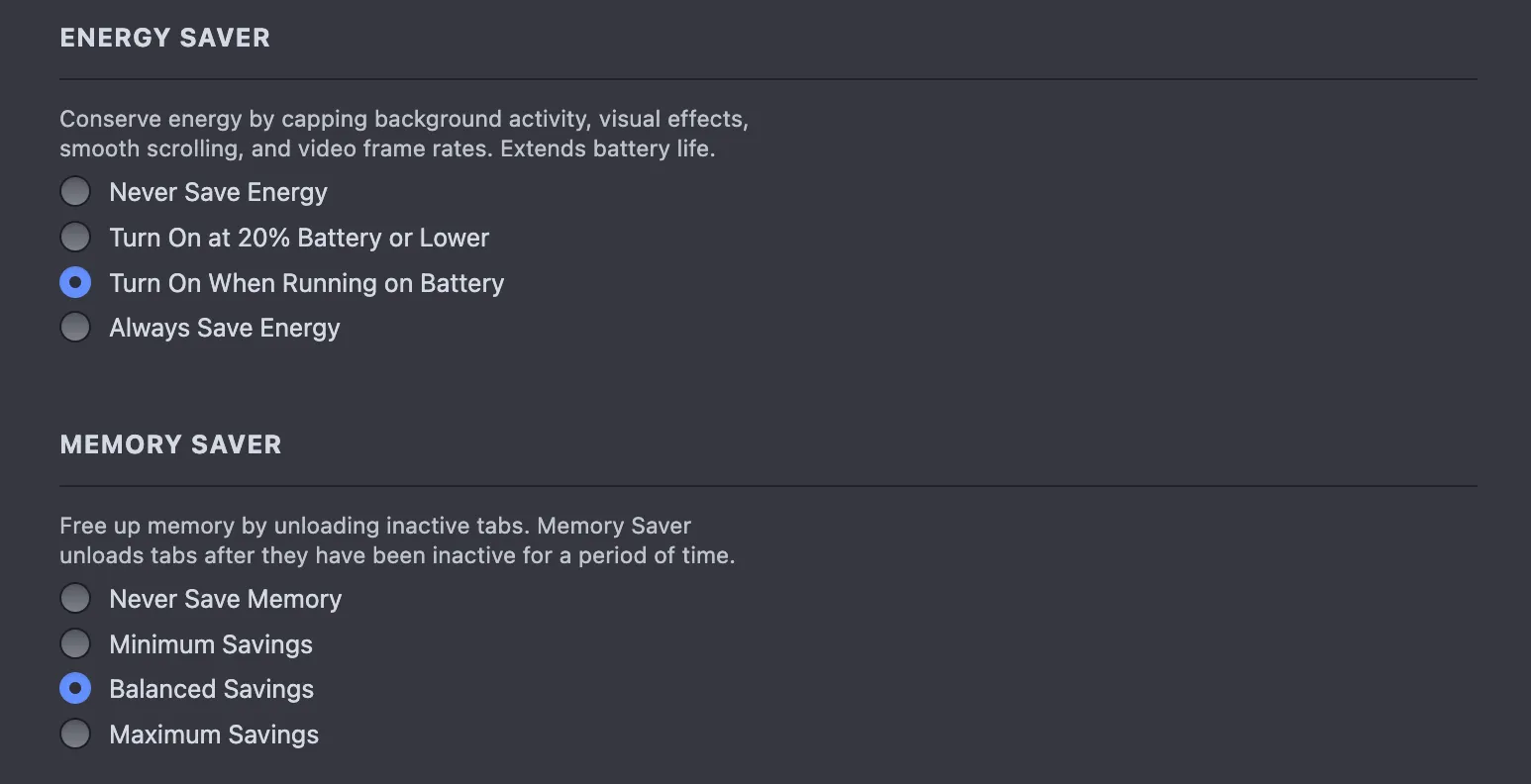
Smart Performance Options
Vivaldi includes useful performance options, which are especially handy when you’re running on battery power. You can optimize resource usage to extend your device’s battery life without sacrificing your browsing experience. The performance options are a lifesaver. Being able to hibernate background tabs to save memory is a game-changer when I’m working on my laptop and need to squeeze every minute out of the battery.
The All-in-One Productivity Suite
One thing that really sets Vivaldi apart, especially for Linux users, is that it isn’t just a browser; it’s an entire internet suite. It has Mail, Calendar, and a Feed Reader built right into the interface.
I haven’t fully integrated these into my workflow yet, but having a native RSS reader and mail client inside the browser is a massive plus for staying organized without needing five different apps open. For a power user, this kind of integration is exactly what makes a tool so cool.
The Side Panel
The side panel is where Vivaldi really shines. When I’m downloading files, I love the dedicated panel. The real-time speed graph is a nice touch for those of us who like to see exactly what’s happening under the hood. I also love the ability to see the tabs I have open on all my other devices. It’s a small thing, but it’s a game-changer for productivity.
Brave vs. Vivaldi: What’s the Real Difference?
I did some digging to see how these two stack up in the current 2026 landscape, and the consensus matches my experience.
| Feature | Brave | Vivaldi |
|---|---|---|
| Philosophy | Privacy-first, “set it and forget it.” | Productivity-first, “customize everything.” |
| Ad Blocking | Excellent, native “Shields” are very aggressive. | Great, built-in and highly configurable per site. |
| Customization | Standard Chromium layout; limited UI changes. | Total control; move anything anywhere. |
| Syncing | Chain-based (no account needed), but can be finicky. | Account-based with end-to-end encryption (very reliable). |
| Bonus Features | Crypto rewards, VPN, AI Assistant (Leo). | VPN, Mail, Calendar, Notes, and RSS. |
While Brave is great for people who want a private “Chrome clone,” Vivaldi is for the power user who wants their browser to work for them and have that privacy. Other tech reviews mention that while Brave might be a millisecond faster in benchmarks, Vivaldi’s workflow “superpowers”, like tab tiling and web panels, actually make you faster as a user.
A Browser for Every Device (Even the Steam Deck!)
As someone who jumps between Mac for dev work, Windows and Linux for gaming, Vivaldi’s cross-platform support is essential. It’s on everything: Linux, Windows, Mac, Android, iOS, and iPadOS.
But the real highlight? It runs beautifully on the Steam Deck.
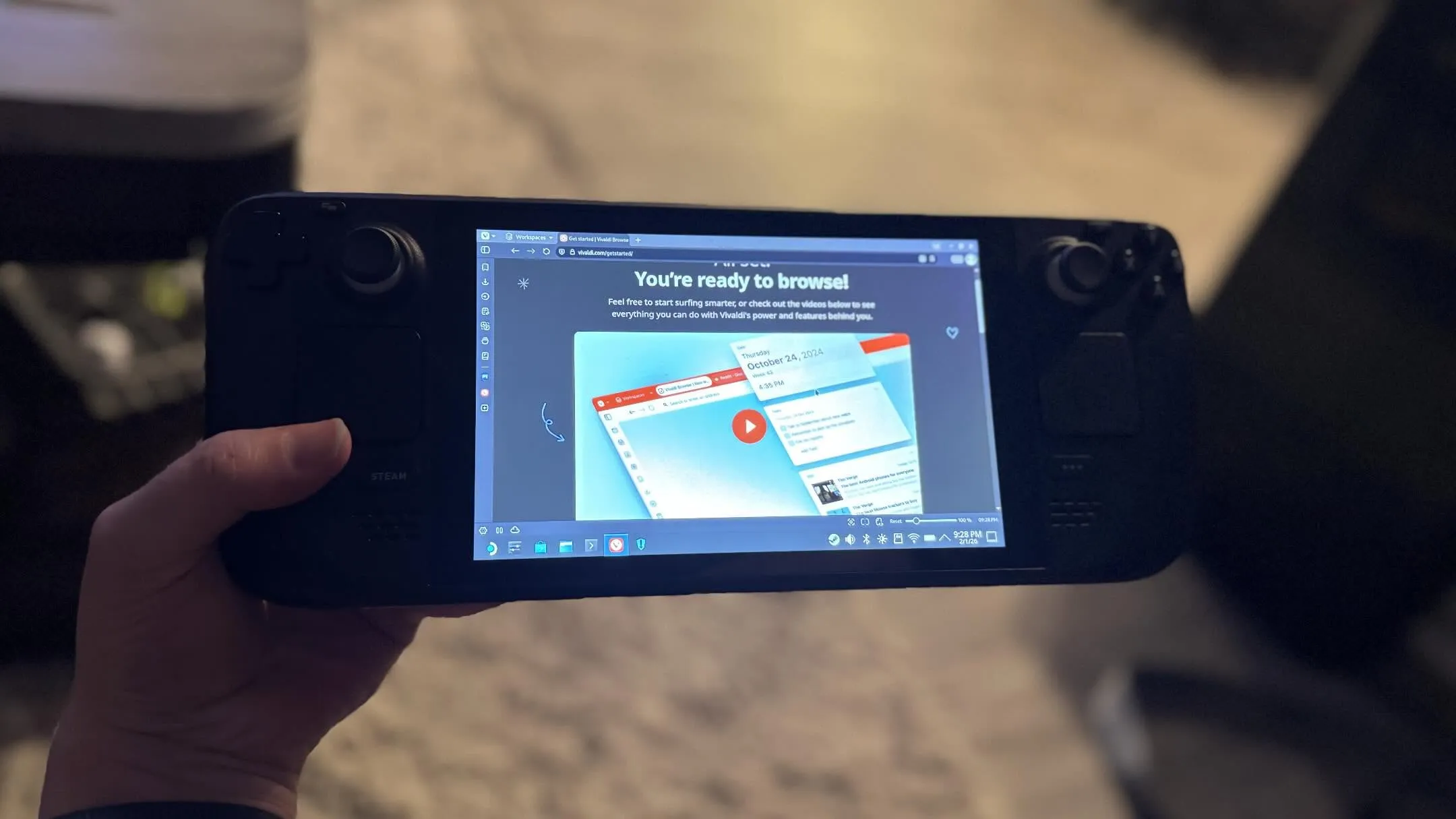
Having my bookmarks, and even my social feeds (via the web panel) synced to my Deck while in desktop mode makes it feel like a true portable workstation.
The Smoothest Migration Ever
I was honestly bracing myself for a headache, but the migration of my bookmarks and current tabs from Brave was incredibly smooth. It was easily the most seamless transition I’ve ever experienced with a browser.
I’m incredibly impressed. If you feel limited by the “standard” browser layout or you’re tired of managing a dozen extensions just to get basic productivity features, give Vivaldi a shot. I’m definitely sticking with it.
~Joshua
Tags: Brave , Vivaldi , Browser , Privacy , Productivity , Linux , Tech , Software , Sync , Performance , Steam-deck , Customization , SecurityDouble the Consoles, Infinite Joy!
Related Posts
-

Speed over Pure Muscle: My First Week with Gemini 3.5 Flash
/ Blog, Programming
A developer's first-week review of Google's Gemini 3.5 Flash. Discover why its ultra-low latency makes it the ultimate coding agent for software development.
Continue to read more… -

Is Your Phone at Risk? How Updates Keep Your Data Safe
Apple's latest iOS advisory warns that out-of-date devices are at risk. Learn why keeping your phone updated is the best defense for your personal data.
Continue to read more… -
The MacBook Neo: Apple's Most Interesting Compromise Yet
A look at the new $599 MacBook Neo, exploring its A18 Pro chip, hardware trade-offs, and whether it's the ultimate travel companion or just a budget compromise.
Continue to read more… -

The Evolution of Coding in 2026
/ Blog, Tech, Programming
Forget Copilot, we are in the era of Agentic Workflows. Discover how the conversation has shifted from writing code to orchestrating intent in 2026.
Continue to read more…