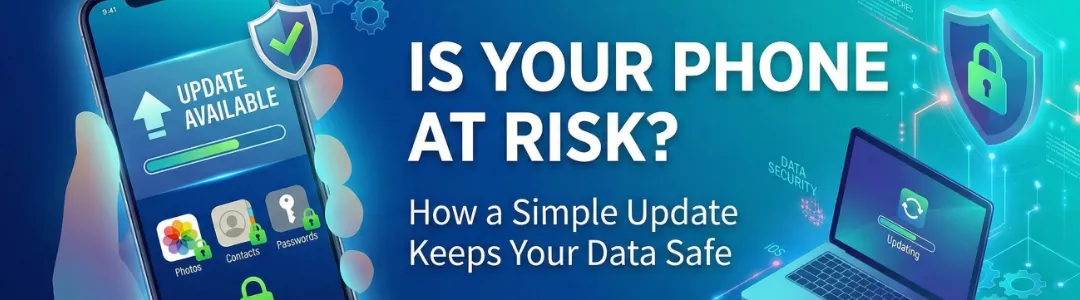
Maintaining the security of your digital life can sometimes feel like a chore, but recent developments highlight exactly why that “Update Available” notification is your best friend.
Apple recently published a critical security advisory regarding web-based attacks targeting out-of-date versions of iOS. The warning is simple: if you haven’t updated your device recently, your data could be at risk just by visiting a compromised website or clicking a malicious link.
Here is a breakdown of why updates matter and how to stay ahead of the curve.
The Lesson from the Latest iOS Issue
According to Apple’s latest support document, security researchers identified attacks that specifically exploit vulnerabilities in older software. While Apple has already released patches to disrupt these attacks, users who ignore updates remain vulnerable.
Key takeaways from this specific alert:
- Update Now: If you are running iOS 15 through iOS 18 (and beyond), ensure you have the latest sub-version installed.
- Older Devices Matter: Apple even released special updates for iOS 15 and 16 on March 11, 2026, to protect older hardware that can’t run the newest operating systems.
- Critical Alerts: If you are on iOS 13 or 14, you may see a “Critical Security Update” alert—don’t ignore it.
Why You Should Never Hit “Remind Me Later”
It’s tempting to postpone an update when you’re in the middle of a task, but updates provide three essential layers of protection:
- Patching “Zero-Day” Vulnerabilities: Hackers often find “holes” in software before the developers do. Once a fix is found, the update is the only way to plug that hole.
- Protecting Your Privacy: Many modern attacks aim to steal “data at rest”—your photos, messages, and saved passwords. Staying updated keeps these encrypted and out of reach.
- Improving Stability: Beyond security, updates often fix bugs that cause your battery to drain or your apps to crash.
A Security Checklist for All Your Devices
1. Phones & Tablets (iOS/Android)
Enable Automatic Updates. On an iPhone, go to Settings > General > Software Update > Automatic Updates and toggle everything on. This ensures your phone downloads and installs patches overnight while you sleep.
2. Laptops & Desktops (macOS/Windows)
Laptops are often targets for more complex malware. Set your OS to update automatically, and don’t forget your browsers (Chrome, Safari, Firefox). Most web-based attacks happen through the browser, so keeping it current is your first line of defense.
3. Enable “Lockdown Mode” for High Risk
If you believe you are a target for sophisticated attacks (like those mentioned in Apple’s advisory), many devices now offer a “Lockdown Mode.” This is an extreme level of security that restricts certain phone functionalities to block nearly all web-based exploits.
Final Thoughts
Security isn’t a one-time setup; it’s a habit. By taking five minutes today to ensure your laptop, phone, and tablet are running the latest software, you are closing the door on hackers and keeping your personal information exactly where it belongs: with you.
Is your device up to date? Check your settings right now!
~Joshua
Tags: Ios , Apple , Security , Updates , Data Privacy , Tech , Tips , Hightek-designsSpeed over Pure Muscle: My First Week with Gemini 3.5 Flash
Related Posts
-

Speed over Pure Muscle: My First Week with Gemini 3.5 Flash
/ Blog, Programming
A developer's first-week review of Google's Gemini 3.5 Flash. Discover why its ultra-low latency makes it the ultimate coding agent for software development.
Continue to read more… -

The MacBook Neo: Apple's Most Interesting Compromise Yet
A look at the new $599 MacBook Neo, exploring its A18 Pro chip, hardware trade-offs, and whether it's the ultimate travel companion or just a budget compromise.
Continue to read more… -

The Evolution of Coding in 2026
/ Blog, Tech, Programming
Forget Copilot, we are in the era of Agentic Workflows. Discover how the conversation has shifted from writing code to orchestrating intent in 2026.
Continue to read more… -

Navigating the Reality of the Matter Smart Home in 2026
/ Blog, Tech, Smart-home
A deep dive into the state of Matter over Thread in 2026, researching the landscape and sharing my personal experience upgrading my smart home.
Continue to read more…